| Clock - First Officer's |



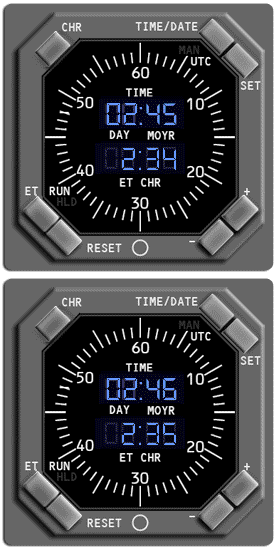
Elapsed Time (ET) and RESET Pushbutton
Controls the elapsed time function:
The RUN or HLD symbol is displayed on the lower left part of the
LCD display.
Controls the elapsed time function:
- Select the ET pushbutton once to run the elapsed time.
- Select the ET pushbutton again to hold the elapsed time.
- Select the RESET pushbutton to set the elapsed time to 0.
The RUN or HLD symbol is displayed on the lower left part of the
LCD display.