
| Clock - Captain's |



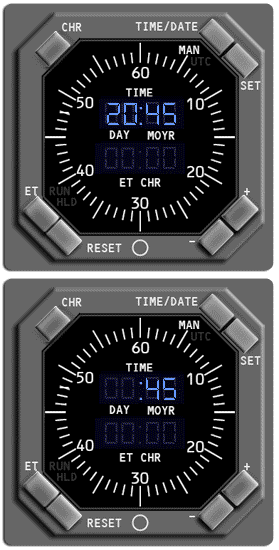
SET Pushbutton
Controls the setting of manual time and date:
With manual time displayed:
Controls the setting of manual time and date:
With manual time displayed:
- Select the SET pushbutton once and the hours flash, use the
plus or minus pushbutton to adjust the hours. - Select the SET pushbutton again and the minutes flash, use
the plus or minus pushbutton to adjust the minutes. - Select the SET pushbutton again to run the time.
With manual date displayed:
Note: A delay greater than one minute while setting the time or date
results in the clock reverting to the previous time/date setting.
- Select the SET pushbutton once and the day flashes, use the
plus or minus pushbutton to adjust the day. - Select the SET pushbutton again and the month flashes, use
the plus or minus pushbutton to adjust the month. - Select the SET pushbutton again and the year flashes, use
the plus or minus pushbutton to adjust the year. - Select the SET pushbutton again to run the date.
Note: A delay greater than one minute while setting the time or date
results in the clock reverting to the previous time/date setting.